Skip to content
FOX cam

How it works

From footage to a report

Your recorder already keeps every hour. FOXcam reads those hours on your own PC overnight and hands you the few minutes that matter, before you open the shop.

  • Works with existing cameras
  • Analysis on your own PC
  • Trial on your own footage

Four steps

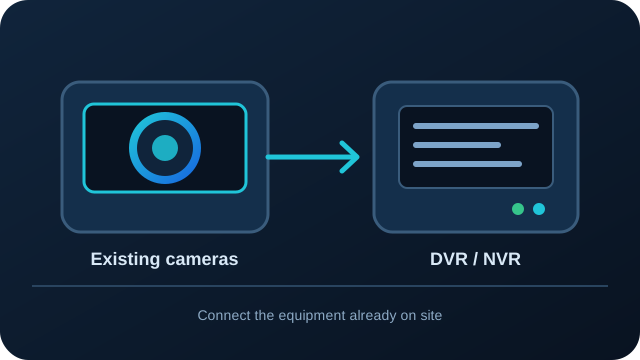
  1. Illustration of existing CCTV cameras connected to a DVR or NVR01

    Connect your recorder or cameras

    The built-in network scan finds your DVR, NVR or IP cameras. No new cameras: it works with the ones you have, analog or IP.

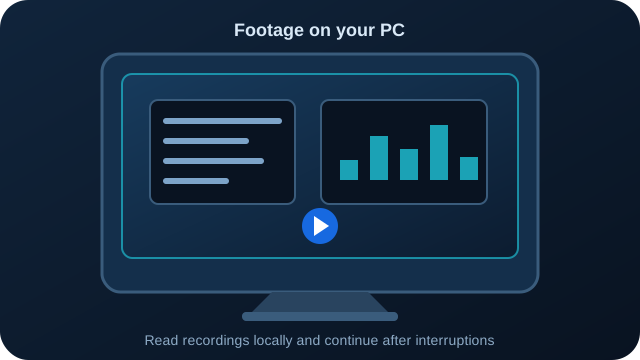
  2. Illustration of CCTV recordings being read on a local PC02

    Footage is read on your PC

    It downloads recordings from the recorder, records IP camera streams, or reads files from a pen drive, and skips still footage. After a power cut it carries on where it stopped.

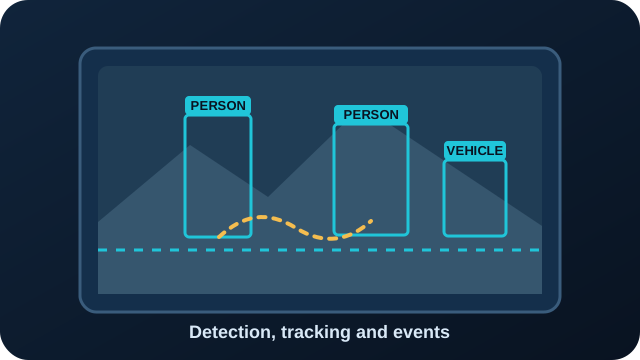
  3. Illustration of people and a vehicle detected with tracking boxes03

    AI finds what matters

    People and vehicles are detected and tracked; counting lines, zones and the rules for your kind of business turn them into counts and events.

  4. Illustration of a business report sent to a mobile phone04

    Reports and alerts arrive

    A morning report and alerts with photos (WhatsApp and email are in beta), PDF and Excel reports in the app, and the phone app for live view and playback.

On your PC, without the internet

  • Reading recordings from your recorder, cameras or pen drive
  • The AI analysis: people, vehicles, events, counts
  • Reports, the summary video, search and Ask
  • Recordings themselves: they are not uploaded for analysis

Uses the internet

  • Sending reports and alert photos to the WhatsApp numbers and email addresses you choose
  • Viewing live and recorded video from outside the site (it passes through our relay in India)
  • The daily licence check and software updates
  • Optional model downloads, such as search and Ask

Without the internet, analysis and reports carry on; messages wait and are sent when it returns.

What happens overnight

Nine steps, all on your own computer. Nothing here needs the internet except the last one.

  1. 01

    Bring in the footage

    FOXcam downloads the day from Hikvision, Dahua and CP Plus recorders at network speed, records the live stream of IP cameras during the hours you choose, or takes files you copy from a pen drive. Each file gets a SHA-256 fingerprint, and the real start time is read from the recorder's on-screen clock, so a recorder that runs fast or slow is corrected.

  2. 02

    Set aside the quiet hours

    A motion filter skips the stretches where nothing moves, usually 70 to 90 percent of a day. Dark, blurry, covered or moved cameras are noted for the camera health report.

  3. 03

    Find people and vehicles

    A detection model looks at a few frames a second from the stretches with movement and finds people, cars, two-wheelers, trucks, bags and animals.

  4. 04

    Follow them across the frame

    Each person and vehicle is tracked from the moment it appears to the moment it leaves, so the same person is counted once, crossings of your door or gate line are counted in each direction, and time spent in each area is measured.

  5. 05

    Read the details that matter

    Only where needed: number plates at the gate, safety gear in work areas, hand movements at shelves for the theft review, and faces only if you switch that on.

  6. 06

    Check your rules

    Opening hours, restricted areas, the billing counter, fire exits and the other zones and lines you draw on a snapshot of each camera become events, with a snapshot and a clip.

  7. 07

    Count and compare

    Minute-by-minute counts go into a small database on your PC, so every report can compare today with a usual day, last week and festival days.

  8. 08

    Write the reports

    PDF and Excel reports, the event log and a summary video of each camera's day are written in plain language, with what to do next.

  9. 09

    Send them

    At the time you choose, the morning report is ready in the app as PDF and Excel, and goes to WhatsApp and email (both in beta). If the internet is down, sending waits and tries again.

Where it runs

On your own PC

The standard setup. Install FOXcam on a Windows 10 or 11 PC on the same network as your recorder. Your recordings are analysed there and not uploaded for it. Reports and alerts go out to the numbers you choose, and video passes through our server in India only when you watch from outside the site.

How much footage it can read depends on the PC's processor, how many cameras you have and which features you use. A graphics card helps, and the free trial lets you see how your own PC copes.

On a FOXcam Box

A small computer with FOXcam already installed, for sites without a spare PC. Price on request, with a one-year warranty.

Without a PC on site

For a one-off investigation, staff send a one-time code and you upload only the hours we need, from your phone, a Windows PC or a pen drive. Raw footage is deleted from our servers after 7 days.

A white CCTV camera on a wall bracket, seen from below
Any brand of camera. FOXcam reads it through the recorder

What you need

Cameras
The ones you have. Analog or IP, any brand.
Recorder
A DVR or NVR on your network, or footage exported to a pen drive.
Computer
A Windows 10 or 11 PC with free disk space for a few days of footage.
Internet
Only for the licence check and to send reports. Analysis works offline.
Phone
WhatsApp for reports and alerts (beta). A FOXcam phone app with live view and playback is coming soon.

Common questions

Which cameras and recorders work?

Any that record. It pulls footage straight from Hikvision, Dahua and CP Plus recorders over your network, and records the live stream of most IP cameras, including EZVIZ, Uniview, TVT, Imou and Tapo. For anything else, export the footage to a pen drive and drop the files in.

What computer do I need?

A Windows 10 or 11 PC. How much footage it can read depends on its processor, how many cameras you have and which features you use, so try it on your own PC during the free trial. A graphics card helps. We also offer a pre-installed FOXcam Box.

How long does setup take?

Install it, find your recorder on the network with the built-in scan, and choose your business type. You can read the first report the same day, from yesterday's recordings.

What happens in a power cut?

It carries on from where it stopped when the PC comes back, and nothing is counted twice. If the PC was off at report time, you get one catch-up report.

Is this live monitoring?

FOXcam is built for recorded footage, so you get the whole day in one report. If you want, it can also watch the live stream during the hours you choose and send an alert with a photo within seconds.

All questions

Ready to try it?

Start with one recorder and a real day of footage

A practical evaluation starts with your recorder model, camera count and a Windows PC. Review the guide first, or contact us to discuss a demo for your site.

Request a demoStart a free trial